Code together.
Make the idea real.
Open the AI workspace to ask coding questions, explore project files, work through bugs, and develop ideas. Review proposed actions and choose the permissions that suit your project.
 BETASign in ↗
A LITTLE PRESENCE. A WHOLE NEW FEELING.
Meet Animiyu. Your expressive AI desktop companion for big ideas, tiny victories, and the lovely moments in between.

01 / STEP INTO YOUR LITTLE UNIVERSE
Pick a mood. Meet a different side of Animiyu.
Go on, press the buttons.
Think out loud, untangle an idea, or tell her about your day. Your companion brings conversation into your desktop, with expressive reactions that give every exchange a little personality.
Text chat and spoken replies are available in the beta. Voice generation may take a moment.
YOUR STYLE, ONE CLICK AWAY
Ready when you are.
Right-click Animiyu or tap Open wardrobe.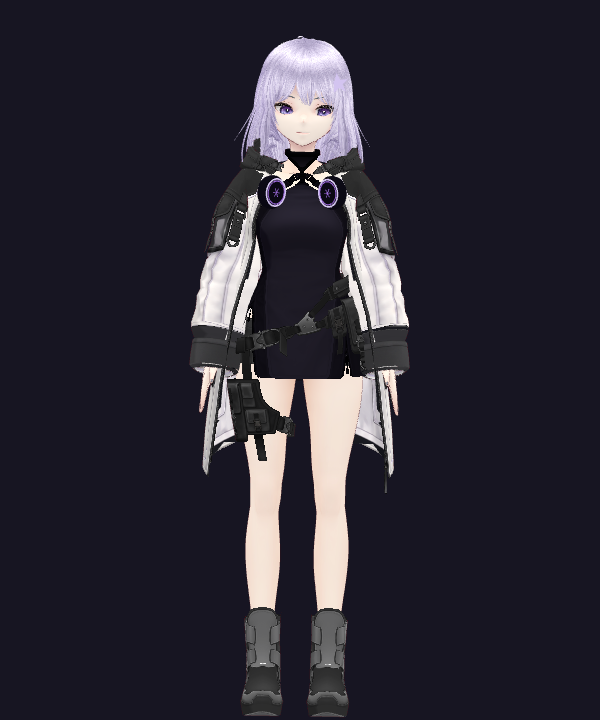
Why does an empty name look broken?
function hello(name) {
  return `Hi, ${name}!`;
}I have ten ideas and no idea where to start.
Recorded with the accepted Animiyu character. Interfaces and dialogue are scripted previews. No camera, microphone or AI service is used here.
Open the AI workspace to ask coding questions, explore project files, work through bugs, and develop ideas. Review proposed actions and choose the permissions that suit your project.
Bring your companion to life with dance routines, poses, gestures, and expressive animations. Pick a moment from the motion library, then get back to your day with a smile.
Keep Animiyu beside your player and chat about what you’re watching. With optional screen context, ask about a visible scene or share a reaction as the story unfolds.
Shared images, not synchronized playback or continuous movie understanding.There you are. I saved you a little hello.
Playful preview · No camera or microphone access
02 / A PRESENCE THAT RESPONDS
The little things make company feel different. A wave. A welcome back. A gentle reminder to take a break.
Enable presence awareness to let Animiyu respond when you return, wave, or show a visible smile. Local presence and gesture detection runs on your computer. Optional AI image context adds conversation about what you choose to share.
Off until you choose.Camera and screen sharing start off every launch.
Share a window. Keep your choice.Choose the source, control the topics, and stop sharing at any time.
Know what goes to the cloud.Images selected for AI replies are processed by the cloud model. Local gestures don’t need an AI call.
03 / BUILT AROUND YOUR EVERYDAY
Little details that make your desktop feel personal.
Explore characters, outfits, and expressions. Give your companion a style that feels at home on your screen.
Use focus timers and reminders for a little structure. Make room for deep work — and the breaks in between.
Choose when to interact, what to share, and which tools can act. Sign out to lock the app and stop active tasks.
YOUR FIRST HELLO
Your beta administrator provides your account and activates your access.
Sign in on this website to download the Windows app. Then sign in inside the app with the same credentials.
Meet your companion, choose your look, and turn on only the features you want.
BEFORE WE SAY HELLO
Yes, if you have an active beta account. Use Sign in to open your account page, then download the Windows installer. Sign in to the desktop app with the same email and password. Self-service signup and payments aren’t open yet.
Text conversations and optional presence awareness are available. With your camera enabled, local detection can trigger a welcome-back greeting, wave, or reaction to a visible smile. Spoken replies are available, with a short wait for voice generation. The awareness feature does not record your microphone.
Keep your companion on your desktop while you watch and talk through the chat. If you choose to share a screen or window, she can discuss selected visible images. She does not stream the movie, listen to its soundtrack, synchronize playback, or continuously understand the full story.
The AI workspace can help explain code, investigate files, and work on coding tasks using available tools. Actions follow the workspace’s permission and approval controls. AI suggestions can be wrong, so review changes before using them.
The animated character and local presence detection run on your computer. Account verification, AI conversations, and optional AI image understanding need an internet connection. Your session is stored in the OS credential store; your password is not saved. Cloud model usage limits apply.

YOUR DESKTOP IS JUST THE BEGINNING
A little company for the work, the breaks,
and everything that makes your day yours.